How to Find and Clip Amazon Coupons (Desktop + App)
ClickandSave
Affiliate disclosure: As an Amazon Associate, ClickandSave.info earns from qualifying purchases. Prices and offers can change.
Clipping coupons takes seconds — if you know where to look. Amazon does not put the Coupons hub on the homepage, so many shoppers never find it.
Desktop steps
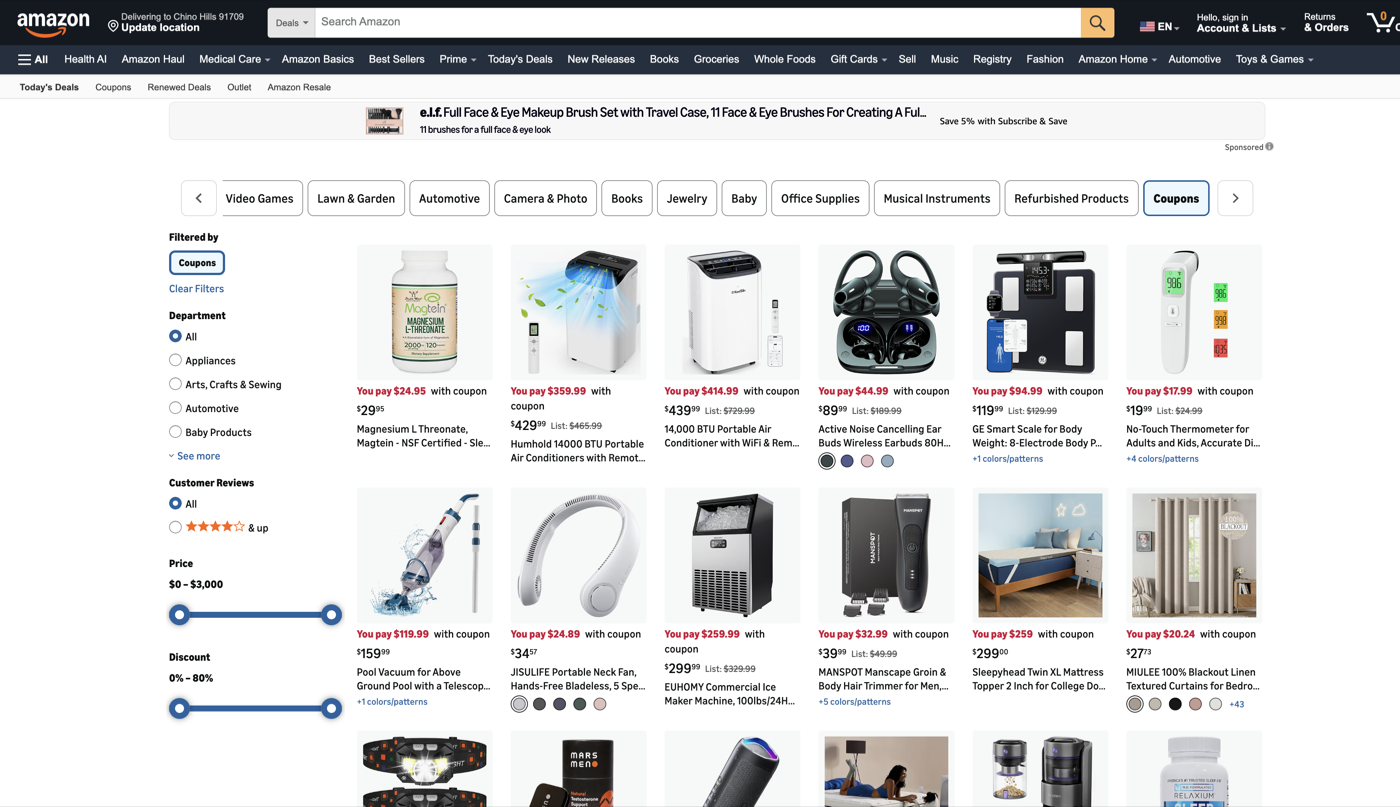
- Open Today's Deals from the top navigation.
- Scroll the deal tabs until you see Coupons.
- Filter by department, price, or discount percentage in the left sidebar.
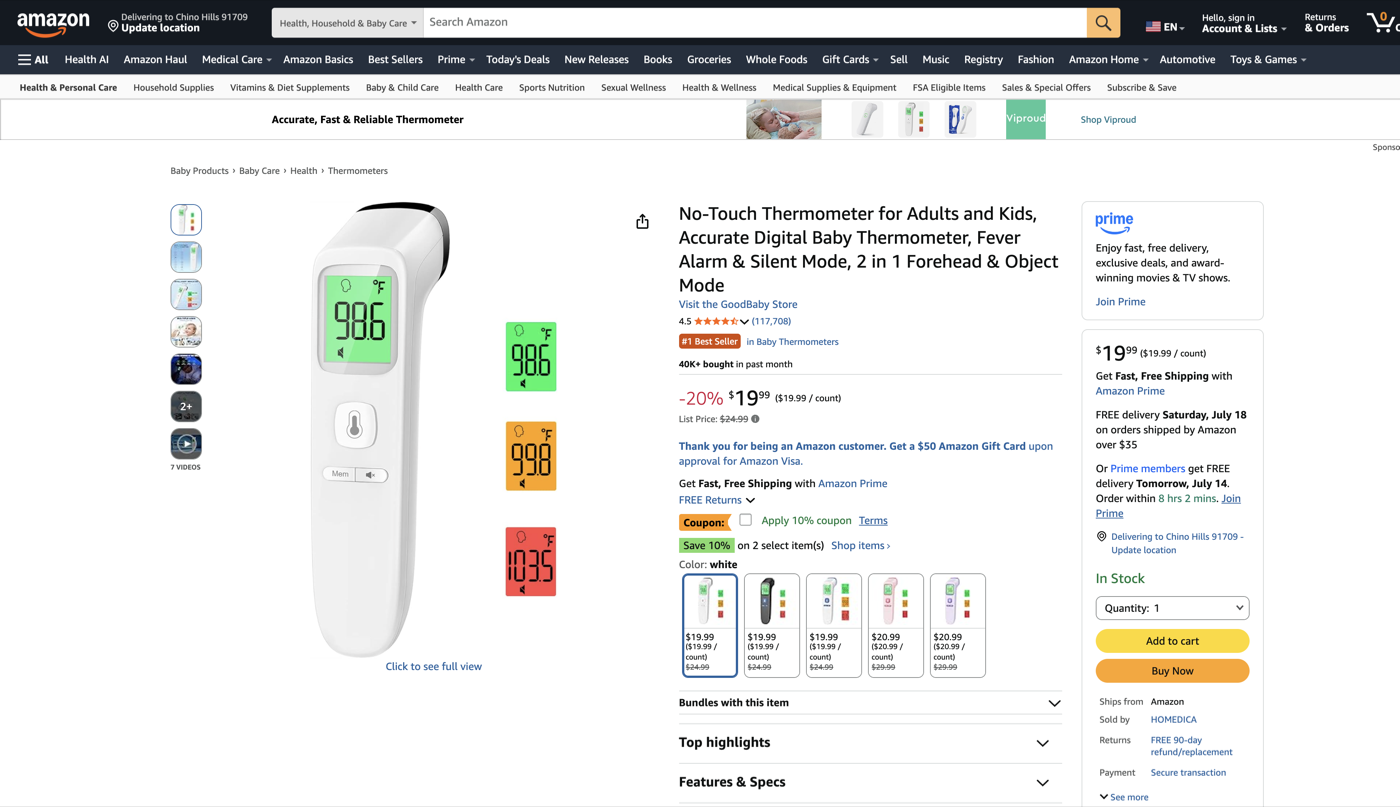
- Open any product and confirm the coupon on the product page before adding to cart.
On the product page
You should see an Apply or clip checkbox near the price (for example "Apply 10% coupon"). Check it while signed in. Unsigned visitors may not see every offer.
App steps
- Open the menu (☰).
- Choose Deals & Savings → Today's Deals.
- Swipe the top categories until Coupons appears.
Bookmark amazon.com/coupons for a one-tap shortcut.